What Are SMTP Ports? Full Guide to Ports 587, 465 & 25
Jan 10, 2026
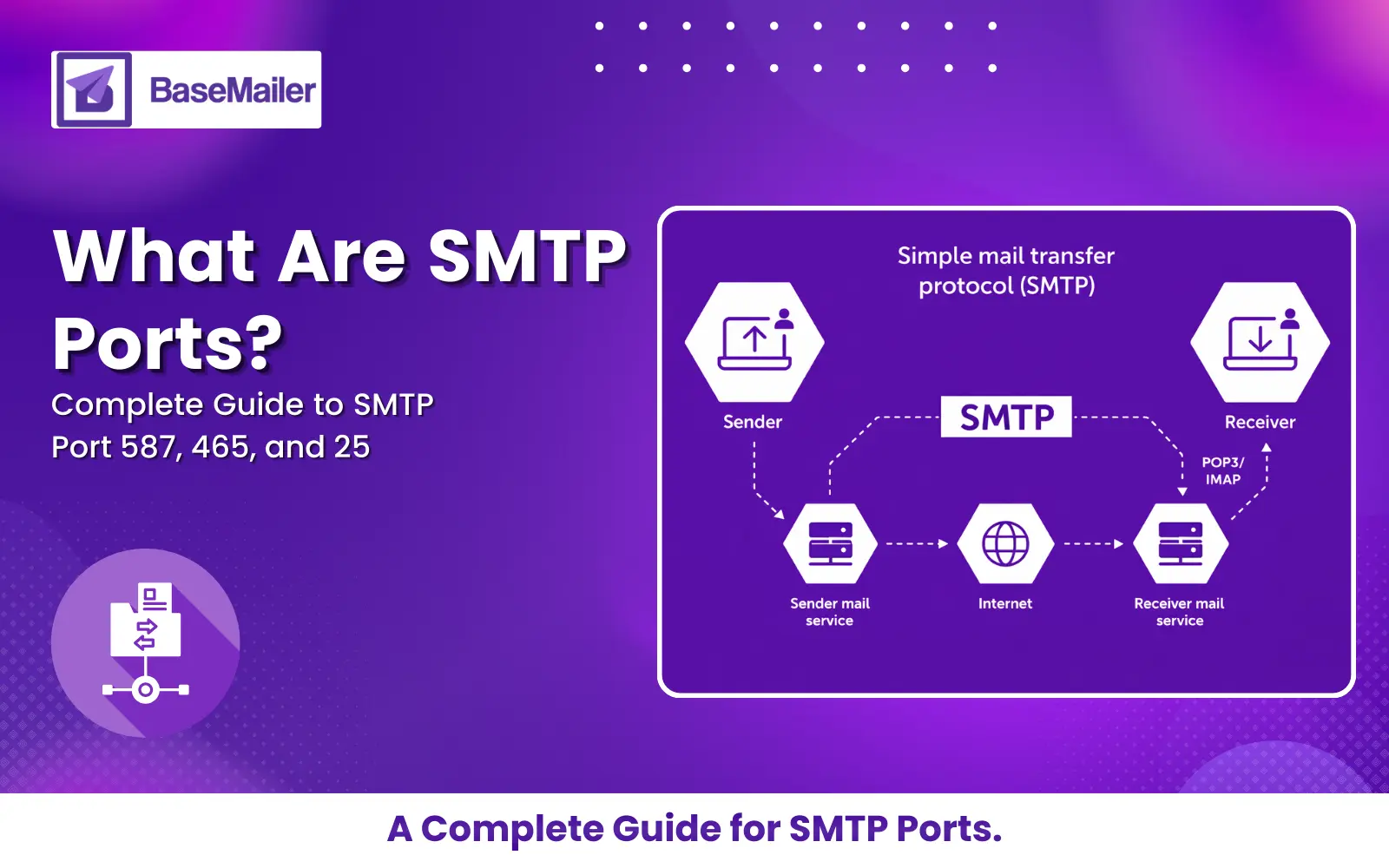
Simple Mail Transfer Protocol (SMTP) is a straightforward way to send emails. You provide your server name, port number, username and password to your email client or application. The SMTP server then handles the actual email delivery—pretty simple, right?
But here's where people get stuck: what number do you put in that SMTP port field? Is there actually a difference between port 25, port 465, and port 587? What about TCP port 465-is that different from regular port 465?
These aren't just random numbers. The port of SMTP you choose directly affects whether your emails are delivered, blocked, or marked as spam.
In this guide, we'll explain what SMTP ports actually are, which ports are still used today (and which ones aren't), why port 587 and port 465 are your main options in 2026, and why port 25 doesn't work for most people anymore. We'll also show you how to choose the right port for your setup.
What Does SMTP Stand For?
If you're new to email infrastructure, you might wonder: what does SMTP stand for?
SMTP stands for Simple Mail Transfer Protocol. It’s the standard mail protocol SMTP uses to send email across the internet. Every email you send—whether from your phone, a web app, or a mail server—uses SMTP somewhere in the process.
An SMTP port is the network endpoint that lets this protocol communicate with another server. Think of it as a specific door on the server that handles outgoing mail. Over the years, security threats and spam abuse have pushed SMTP to evolve, which is why we now have different port of SMTP standards in use today.
Why SMTP Ports Matter in 2026
In the early days of email, one port handled everything. Today, encryption, authentication, and spam prevention are mandatory parts of the mail protocol SMTP.
Choosing the wrong SMTP port can result in:
Blocked connections
Emails landing in spam
Failed authentication
ISP or cloud provider rejections
Understanding which SMTP port to use-and why-has become essential knowledge.
The Key SMTP Ports Explained
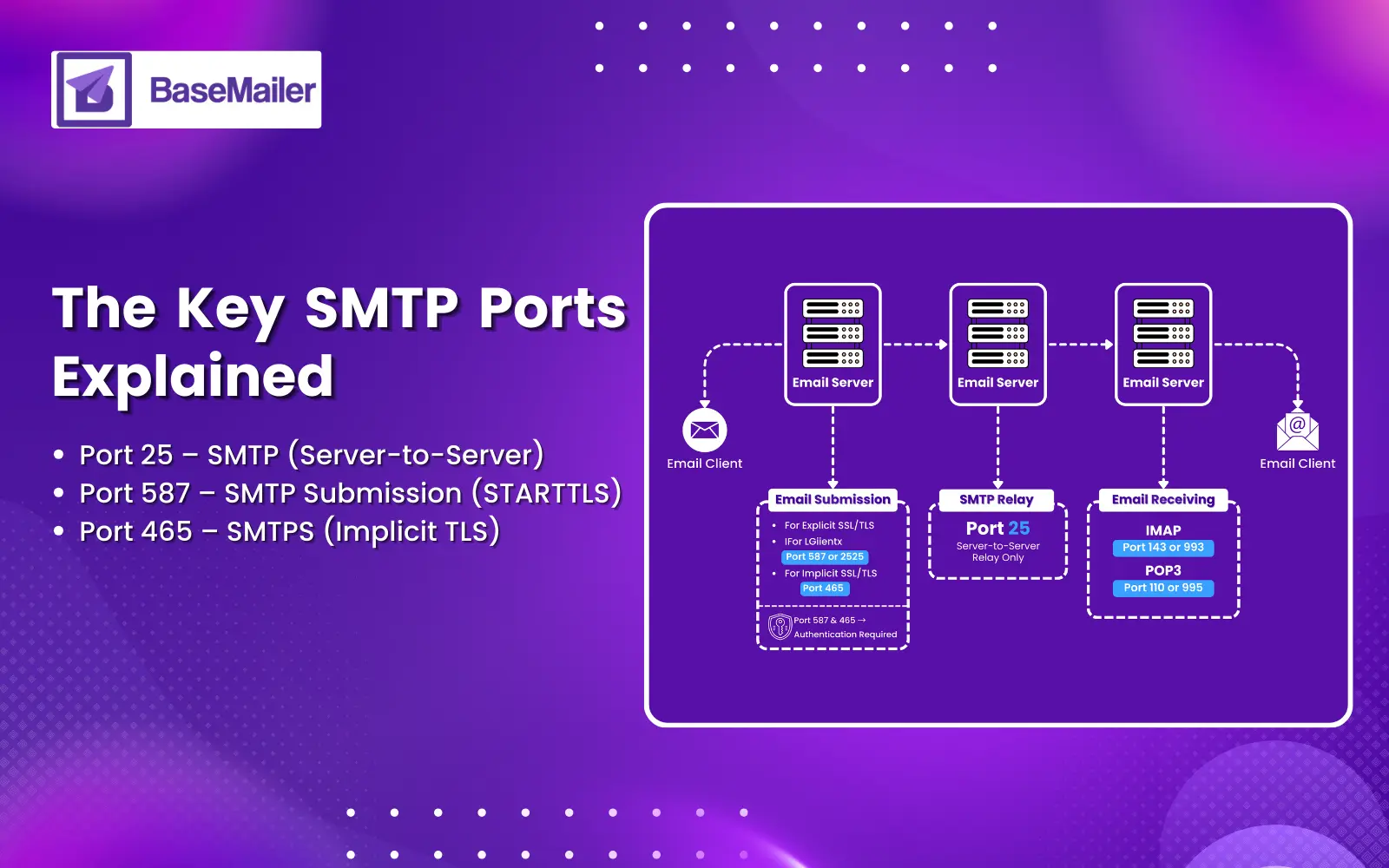
When configuring email delivery, you will typically encounter three main SMTP ports.
1. Port 587: The Modern Submission Standard
Port 587 is the official and recommended port for email submission in 2026.
Why port 587 is the default choice:
Uses STARTTLS to upgrade the connection to encrypted TLS
Requires authentication, reducing spam abuse
Accepted by virtually all email providers and cloud platforms
Because of its reliability and security, port 587 is the correct option for:
Email clients
Web applications
Automation tools
Transactional email services
Recommendation:
Always use port 587 unless your provider explicitly requires another port of SMTP.
2. Port 465: SMTPS and Implicit TLS
You may see references to SMTPS and wonder: what is SMTPS?
SMTPS refers to SMTP over implicit TLS encryption, meaning the connection is encrypted from the moment it starts.
Port 465 (also called TCP port 465) is used for this method.
Key characteristics of port 465:
Encrypted immediately (no plain-text handshake)
Often considered slightly more secure
Common with legacy systems or strict security environments
While port 465 was once deprecated, it is now officially supported again and widely used.
Recommendation:
Use port 465 if your email provider requires SMTP over TLS (implicit TLS) or if you prefer implicit TLS over STARTTLS.
3. Port 25: The Legacy and Blocked Port
Many people still ask: what is port 25, and what is port 25 used for today?
Historically, port 25 handled all SMTP traffic. In 2026, its role is extremely limited.
Port 25 is used for:
Server-to-server email relaying only
Why port 25 should NOT be used for submission:
No encryption by default
Heavily abused by spammers
Blocked by most ISPs and cloud providers
Frequently causes delivery failures
Using port 25 from a client or application is a common mistake that leads to blocked emails.
Recommendation:
Do not use port 25 for sending email from applications or clients using the mail protocol SMTP.
SMTP Port Comparison Table
Port Number | Protocol Type | Recommended Use | Status in 2026 |
|---|---|---|---|
587 | STARTTLS | Default email submission | ✅ Primary choice |
465 | Implicit TLS (SMTPS) | Secure submission | ✅ Valid alternative |
25 | Unencrypted SMTP | Server-to-server relay only | ❌ Blocked for clients |
2525 | TLS/SSL | Fallback option | ⚠ Unofficial |
SMTP From Server: How Server-to-Server Email Works
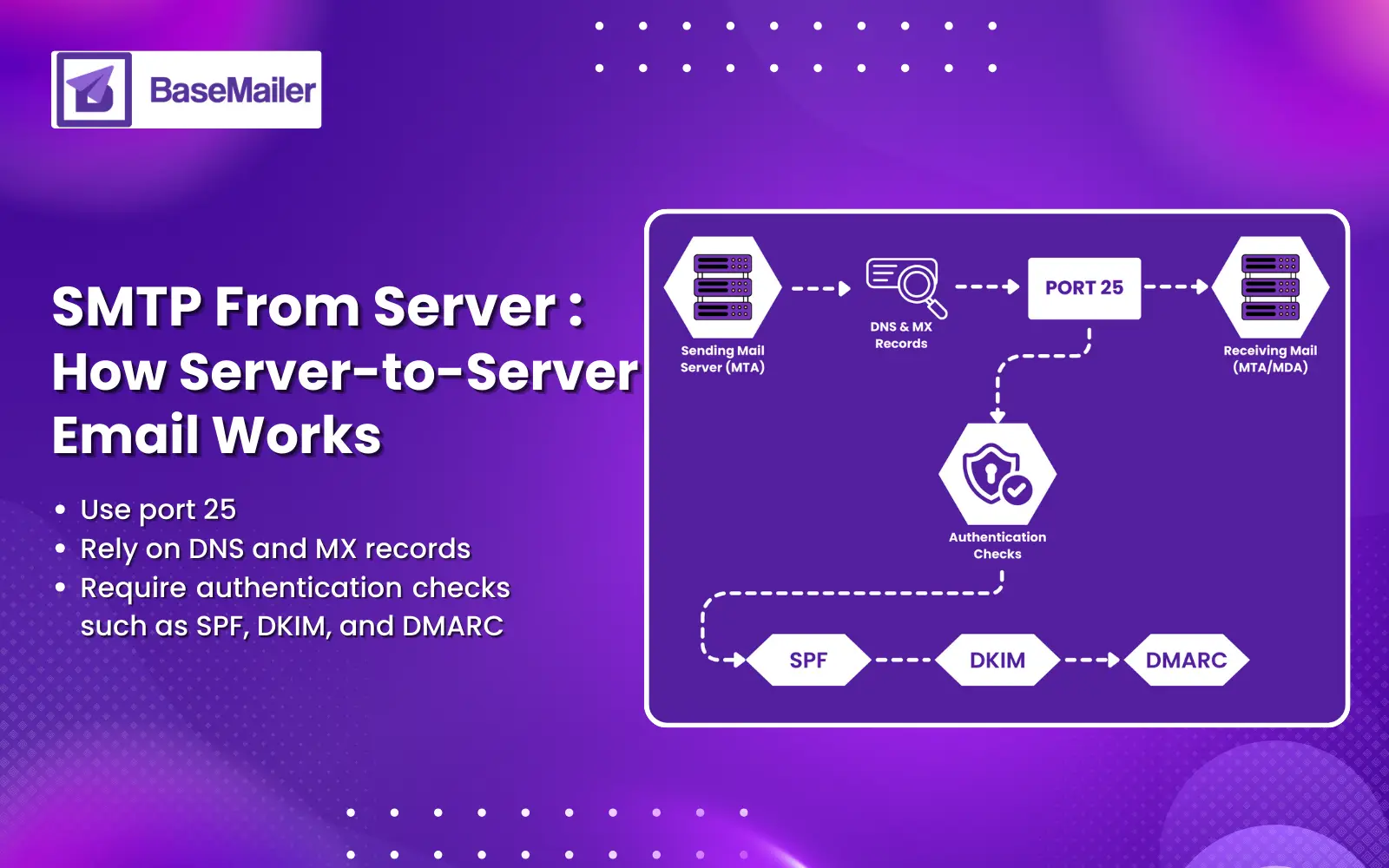
You may encounter the phrase SMTP from server in technical documentation. This refers to email sent directly from one mail server to another.
These connections typically:
Use port 25
Rely on DNS and MX records
Require authentication checks such as SPF, DKIM, and DMARC
Unlike client submission, server-to-server SMTP is tightly monitored and filtered. In 2026, reputation and authentication matter more than the port itself.
Troubleshooting Common SMTP Port Issues
If your emails are not sending, the issue is often related to selecting the wrong port of SMTP or misconfiguring the mail protocol SMTP.
ISP or Network Blocking
Many home networks, public Wi-Fi hotspots, and cloud providers block certain ports.
Fix:
Switch from port 587 to port 465 or an alternative like 2525.
Encryption Mismatch
Using the wrong encryption method will cause immediate connection failure.
Correct setup:
Port 587 → STARTTLS
Port 465 → SSL/TLS (implicit)
Authentication Errors
Modern SMTP servers require authentication.
Fix:
Verify username, password, and domain settings.
Conclusion
Setting up email doesn't need to be a headache. The main thing to remember is this: use port 587 for sending emails from your apps or email clients-it's what works everywhere and keeps things secure. If you need implicit TLS or your provider asks for it, port 465 works great too. Just don't bother with port 25 unless you're dealing with server-to-server stuff, because most networks block it anyway and you'll just end up stuck troubleshooting connection errors.
We put this guide together to help you actually understand what these ports do, not just throw technical jargon at you. Email delivery is one of those things that seems confusing until someone explains it plainly. Now you know which SMTP port to pick and why it matters. If you found this helpful, check out our other guides-we're always adding practical tips to make tech stuff less frustrating.
Frequently Asked Questions
Is Port 465 more secure than 587?
No, they're both secure. The difference is just timing. Port 465 encrypts your connection right away, while port 587 starts without encryption and then switches it on. Either way, your emails are protected.
Why is my Port 25 connection timed out?
Most ISPs block outgoing Port 25 to prevent spam from being sent from infected computers. This is why your connection may fail. To send emails with Gmail, it’s recommended to use Port 465 or 587 instead.
Can I use Port 2525 for Gmail?
No, Gmail only supports Ports 465 and 587. Port 2525 is typically used by third-party SMTP relay services like SendGrid or Mailgun, not Gmail.
Is Port 465 better or faster than Port 587?
There is no speed difference; both are secure. Port 465 provides immediate encryption (Implicit TLS), while Port 587 is the standard, more flexible option that upgrades to a secure connection using STARTTLS.